

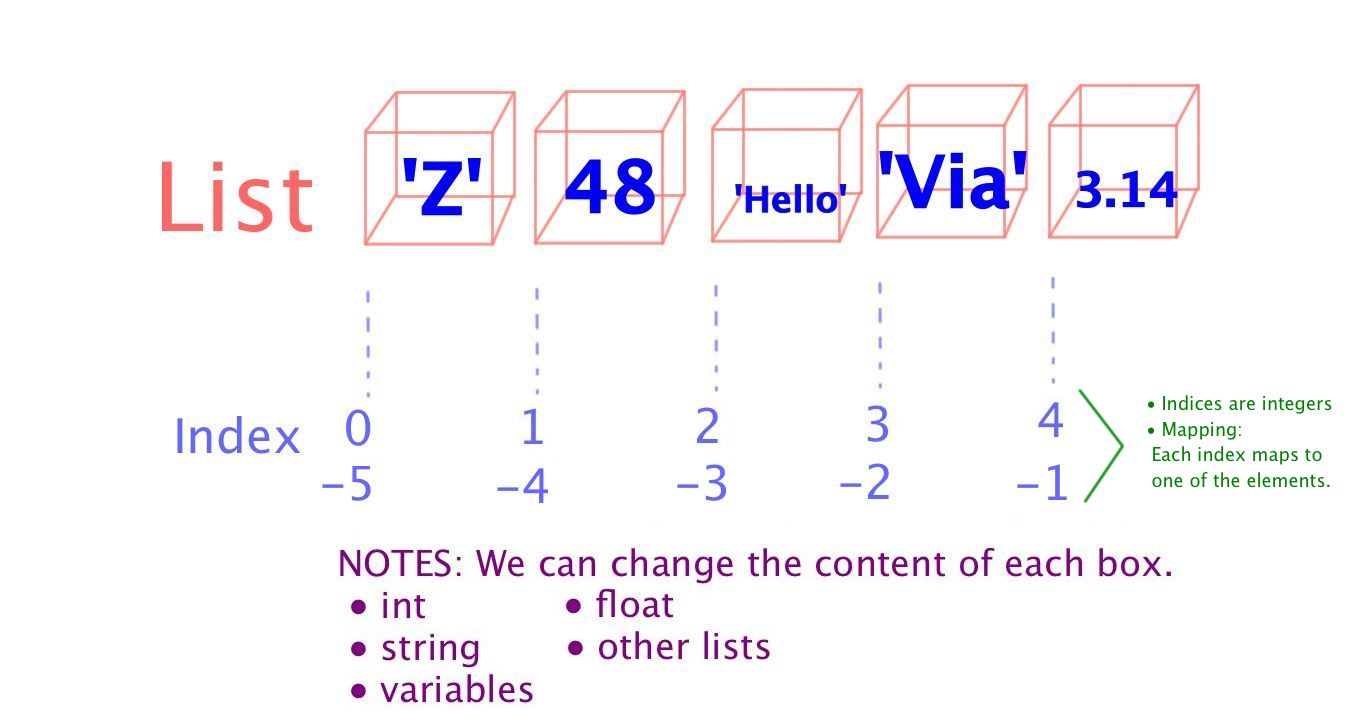
Lists illustration
List :
A list is a sequence of values […] The values in a list are called elements or sometimes items.
Syntax:
[ 1, 2, [ ‘three’, ‘four’ ], 5 ]
- Lists’ elements can be: int, strings, float, other lists
- Lists may be nested.
- Lists are mutable:
- >>> numbers = [17, 123]
- >>> numbers [1] = 5
- >>> print numbers
- [17, 5]
List Assignment :
- We can assign list values to variables.
>>> cheeses = [‘Brie’, ‘Jarlsberg’, ‘Gouda’] #Variable cheeses gets a list value
>>> numbers = [17, 123] #Variable numbers gets a list value
>>> empty = [] #Empty list #Variable empty gets a list value
>>> print cheeses, numbers, empty
[‘Brie’, ‘Jarlsberg’, ‘Gouda’] [17, 123] []
Boolean operators that work with Lists :
- in
- is
Traversing a list :
- for loop
for i in cheeses:
TAB print i
To write or update the elements on a list :
- To write or update the elements in the list, we work with indices:
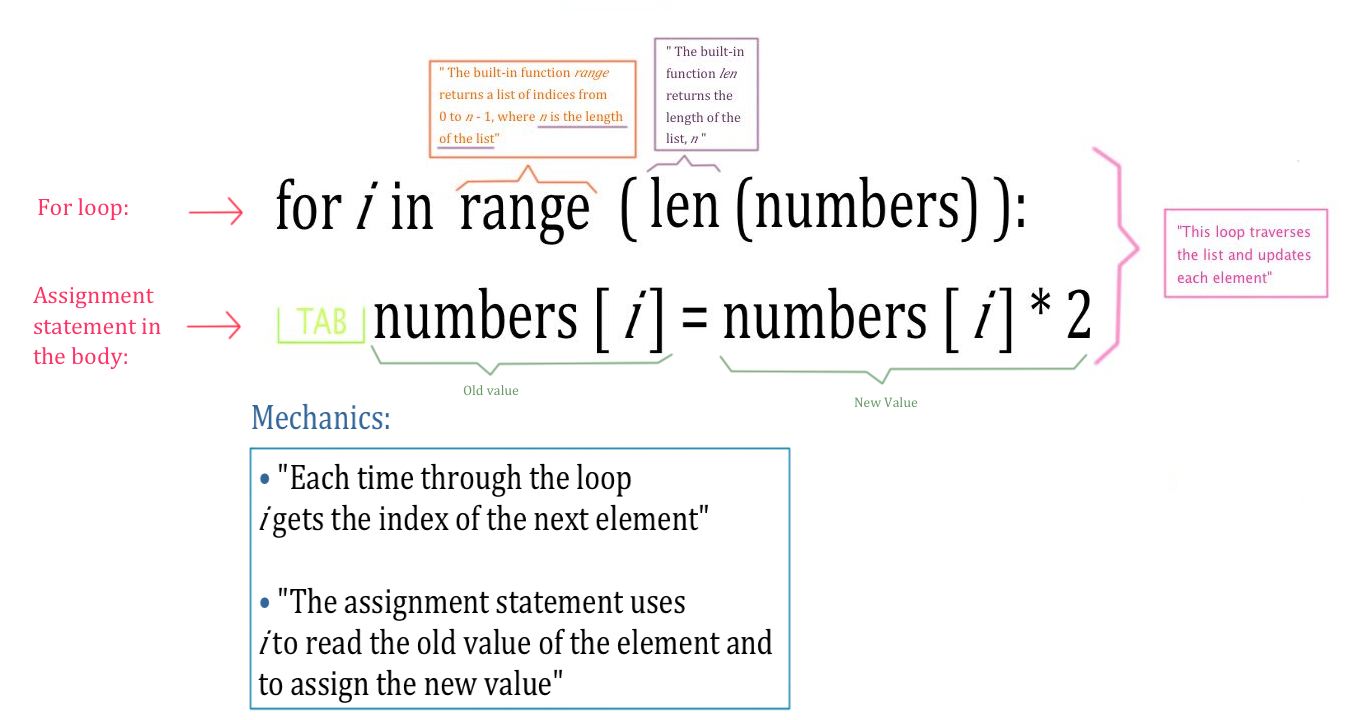
For Loop Traversing List
NOTE: “A For loop over an empty list never executes the body”
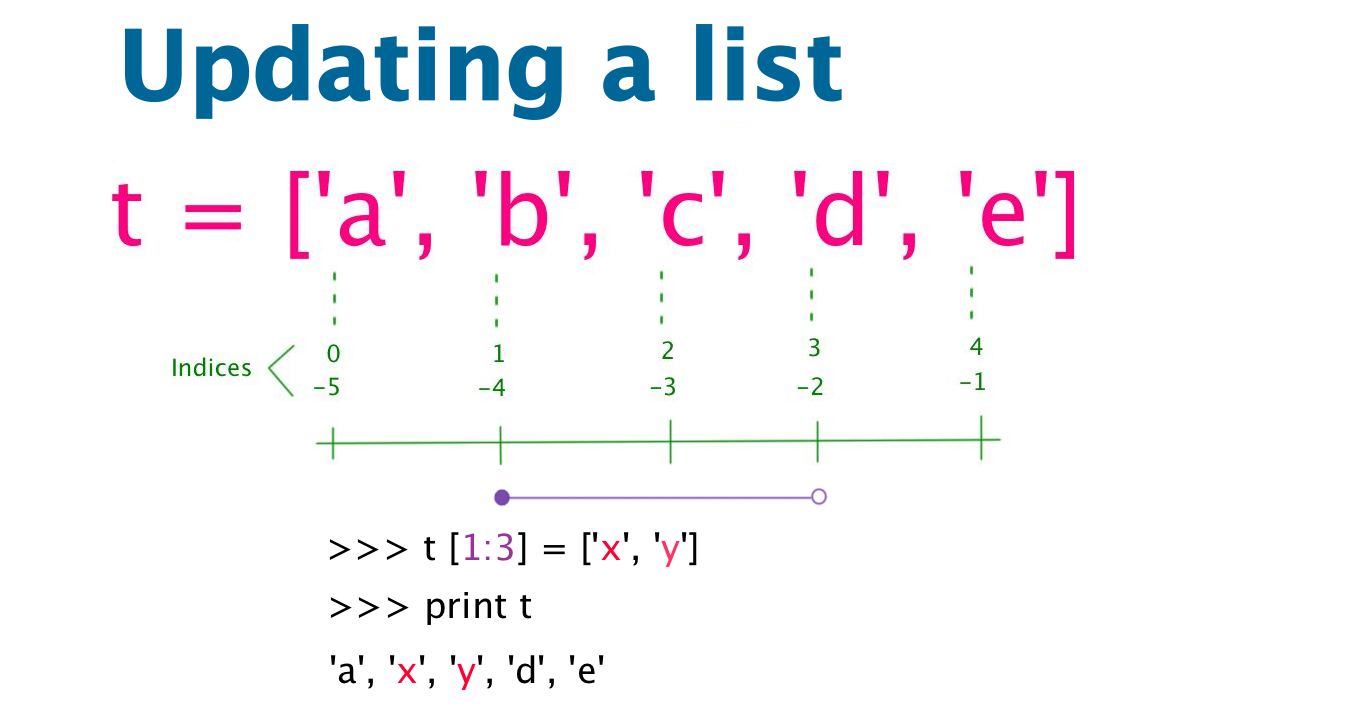
Python List update
Operations that apply to lists :
- + (concatenation)
- * (multiplication)
List slicing :

List slicing
List methods :
- append : adds a new element to the end of a list
>>> t = [‘a’, ‘b’, ‘c’]
>>> t.append ( ‘d’ )
>>> print t
‘a’, ‘b’, ‘c’, ‘d’
- extend : takes a list as an argument and appends all of the elements
>>> t1 = [‘a’, ‘b’, ‘c’]
>>> t2 = [‘d’, ‘e’]
>>> t.extend ( t2 )
>>> print t1
‘a’, ‘b’, ‘c’, ‘d’, ‘e’
NOTE: t2 was left intact/unmodified
- sort : arranges the elements of the list from low to high
- capitalize :
The method capitalize() returns a copy of the string with only its first character capitalized. For 8-bit strings, this method is locale-dependent.
- split: breaks a string into words
- join:
[The method] join is the inverse of split. It takes a list of strings and concatenates the elements.
[NOTE] join is a string method, so you have to invoke it on the delimiter and pass the list as a parameter.

Python split method
- pop: “modifies the list and returns the element that was removed”
It works with indices. If no index, then the pop method deletes and returns the last element.
- remove: This method is useful ” if we know the element we want to remove but not the index”.
NOTE: The return value of remove is None.
del statement :
- del: modifies the list and returns the elements that were not removed.
To remove a list element, you can use either the del statement if you know exactly which element(s) you are deleting
Source: http://www.tutorialspoint.com/python/python_lists.htm
Built-in functions :
- sum :
>>> t = [1, 2, 3]
>>> sum ( t )
6#6 is the combination of the sequence elements
- list : breaks a string into individual characters (elements)
>>> t = ‘happy’
>>> x = list ( t )
[‘h’, ‘a’, ‘p’, ‘p’, ‘y’]#6 is the combination of the sequence elements
Conversion :

Conversions: Python List – Strings
Object and Values :
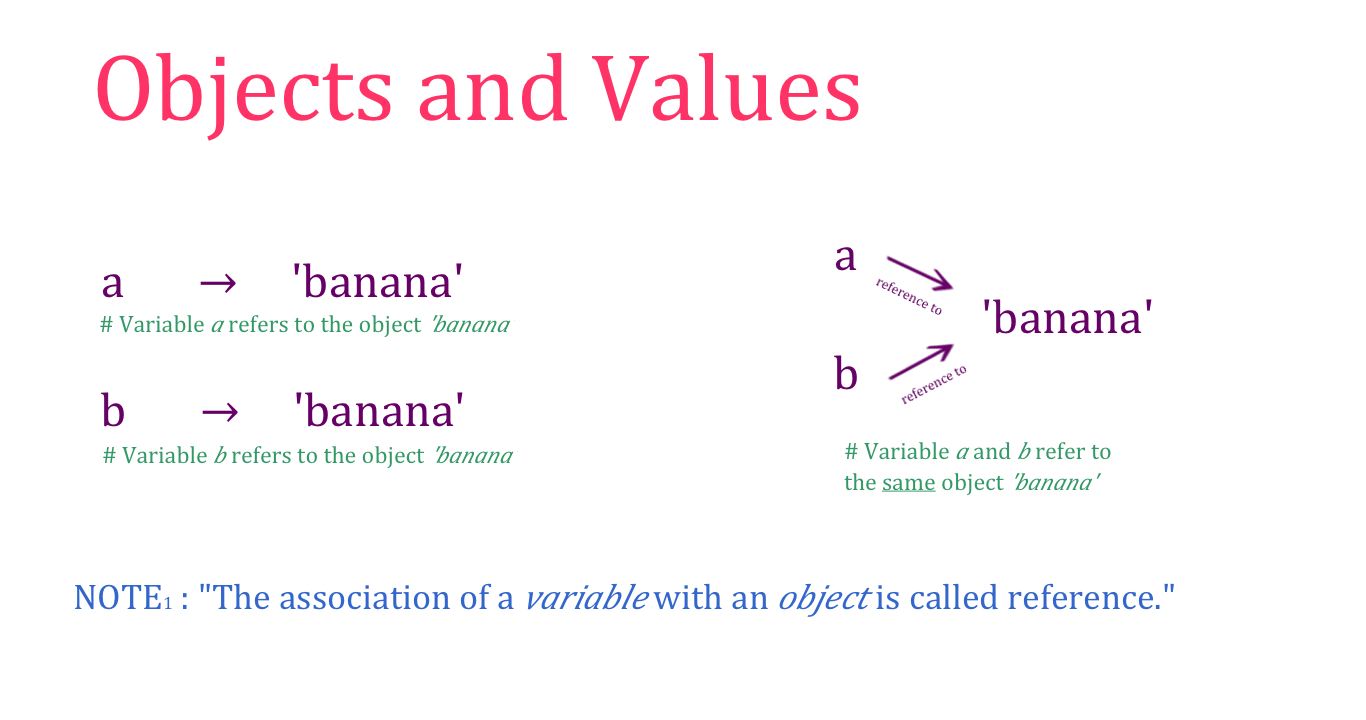
List: Objects and Values
To verify whether two variables refer to the same object, we can use the Boolean is operator:
>>> d = [1, 2, 3]
>>> g = [1, 2, 3]
>>> d is g
False
Logic:
- Variable d is equivalent to variable g because they have the same element.
- Variable d is not identical to variable g because they are not the same object.
- If two objects are identical, then they are also equivalent.
- If two objects are equivalent, they are not necessarily identical.
NOTE: An object has a value.
Aliasing :
An object with more than one reference has more than one name, so we say the object is aliased.
>>> a = [1, 2, 3]
>>> b = a
>>> b is a
True
- “If the aliased object is mutable, changes made with one alias affect the other”
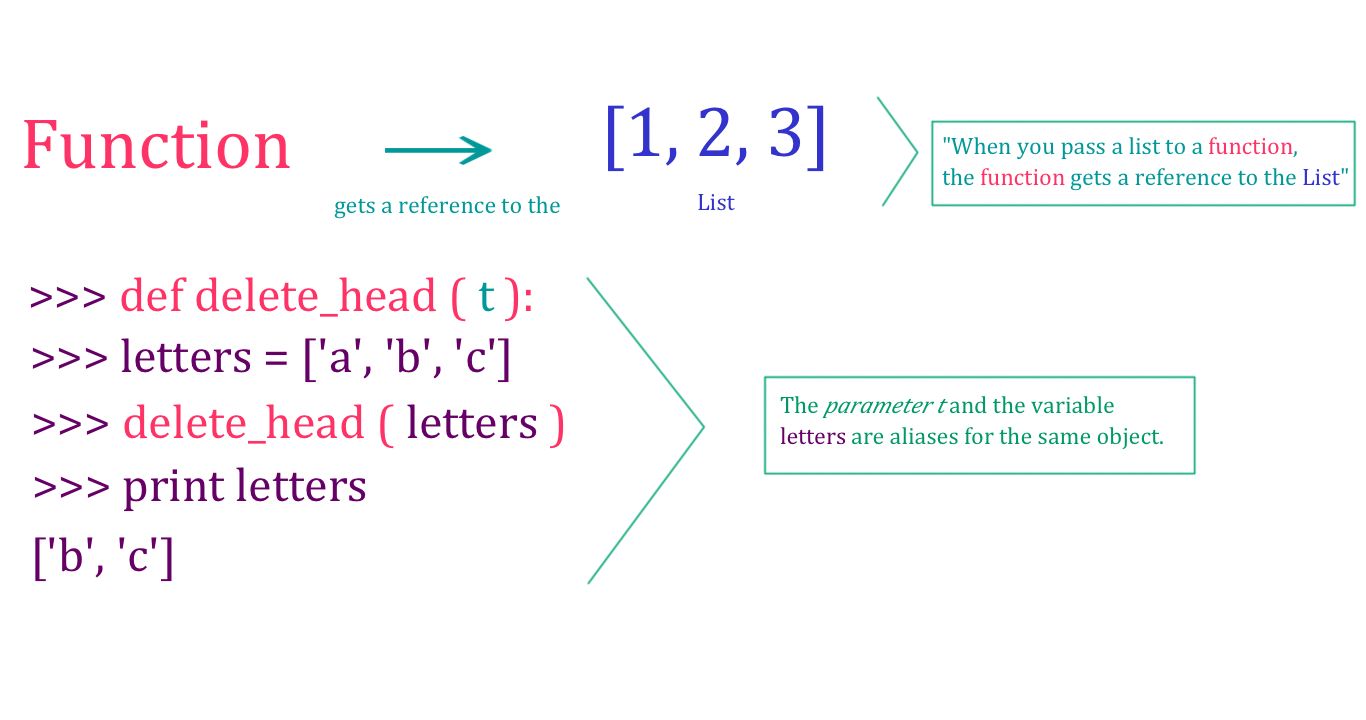
Aliasing
Beware, working with mutable objects and aliasing is error-prone. For immutable objects (like strings), aliasing is not much of a problem.
***
Acknowledgments :
These notes represent my understanding from the book Think Python: How to Think Like a Computer Scientist written by Allen B. Downey.
Part of the chapter is transcribed and all the quotes unless specified otherwise come directly from his book.
Thank you Professor Downey for making this knowledge available.
Also, I would like to thank the open source community for their valuable contribution in making resources on programming available.
Thank you




 Python Project